

Welcome to Petloc8 guide
How to start

Download app


Create account
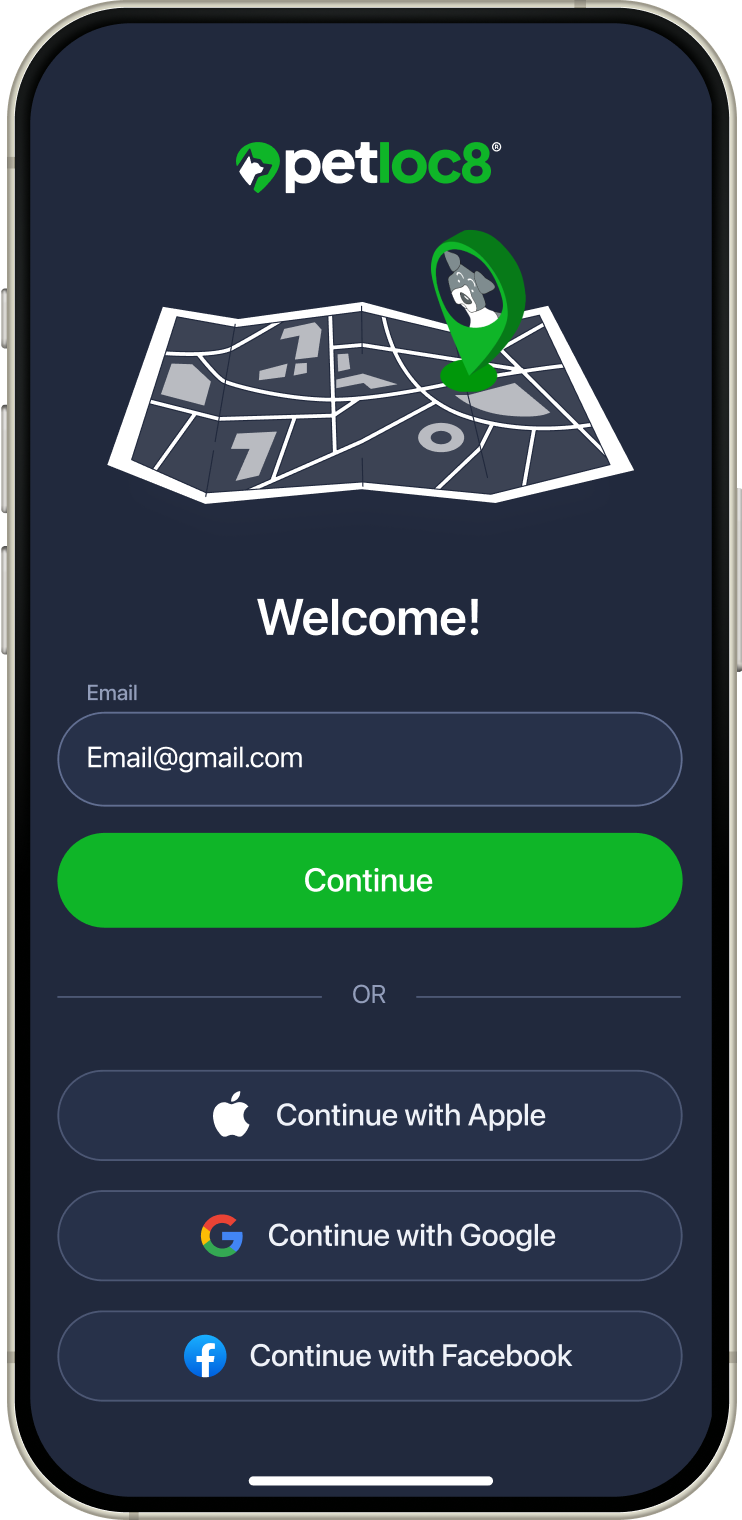
1. Enter your email address
Fill in “Email” field and tap CONTINUE button
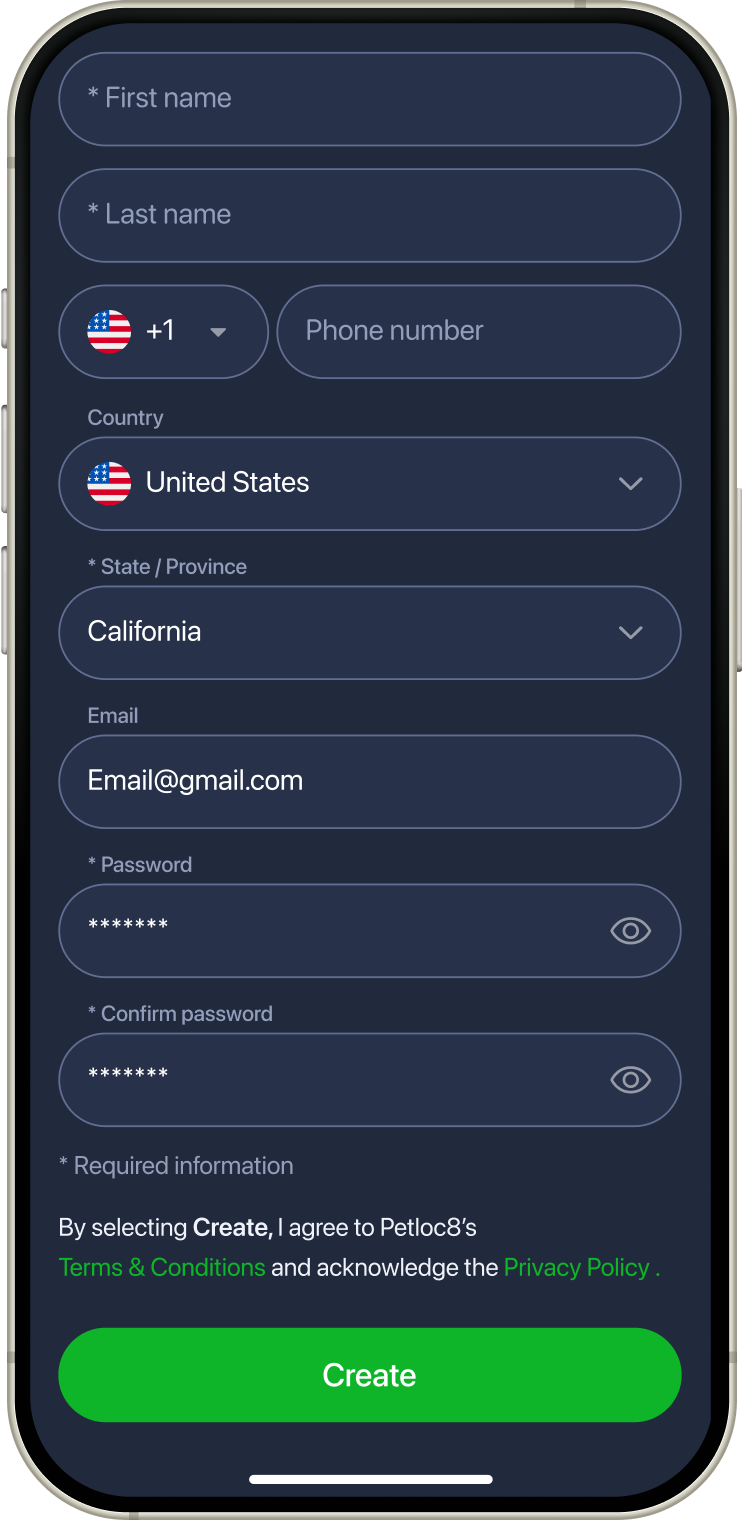
2. Fill in data
Fill in all required data and tap CREATE button
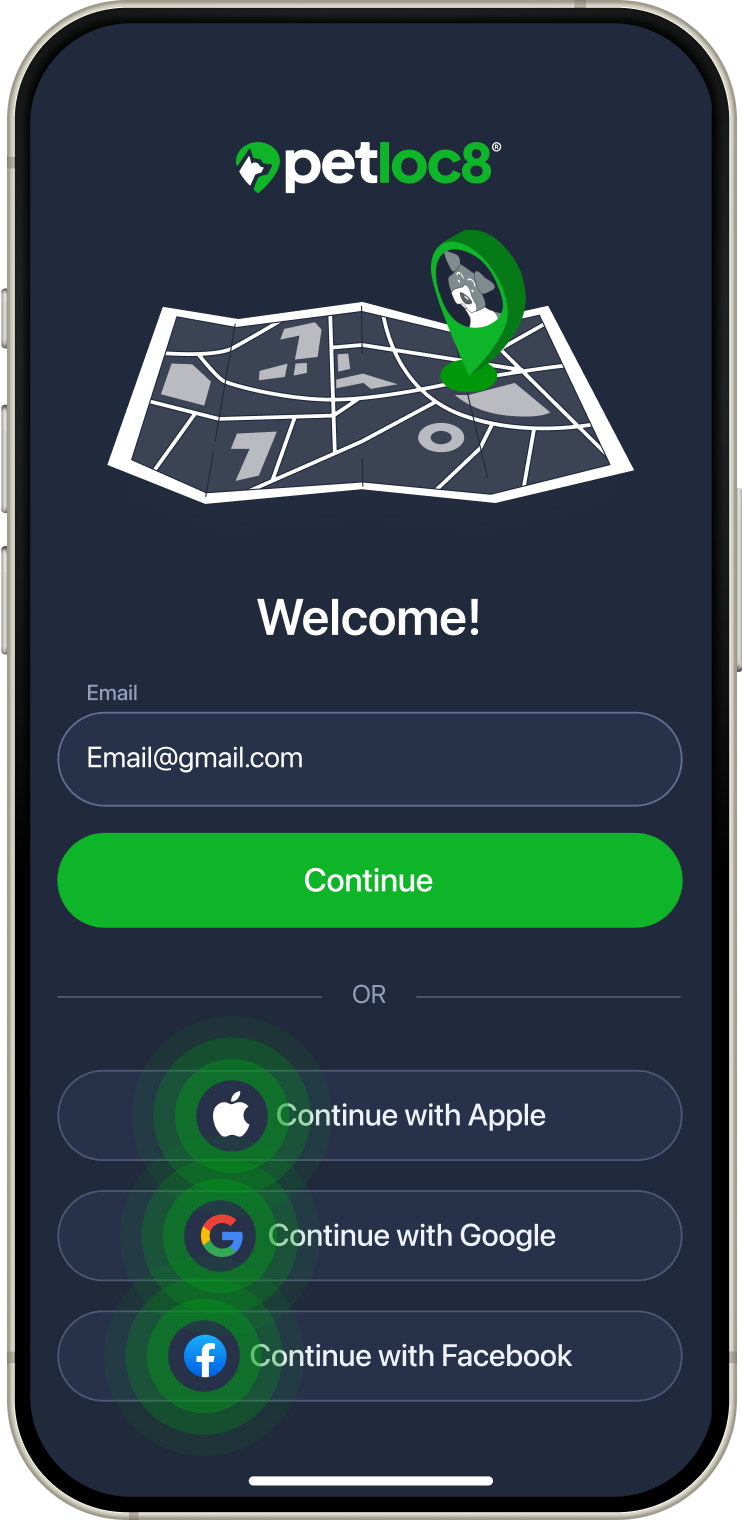
Or use existing accounts
Choose Apple / Google / Facebook account

Activate device
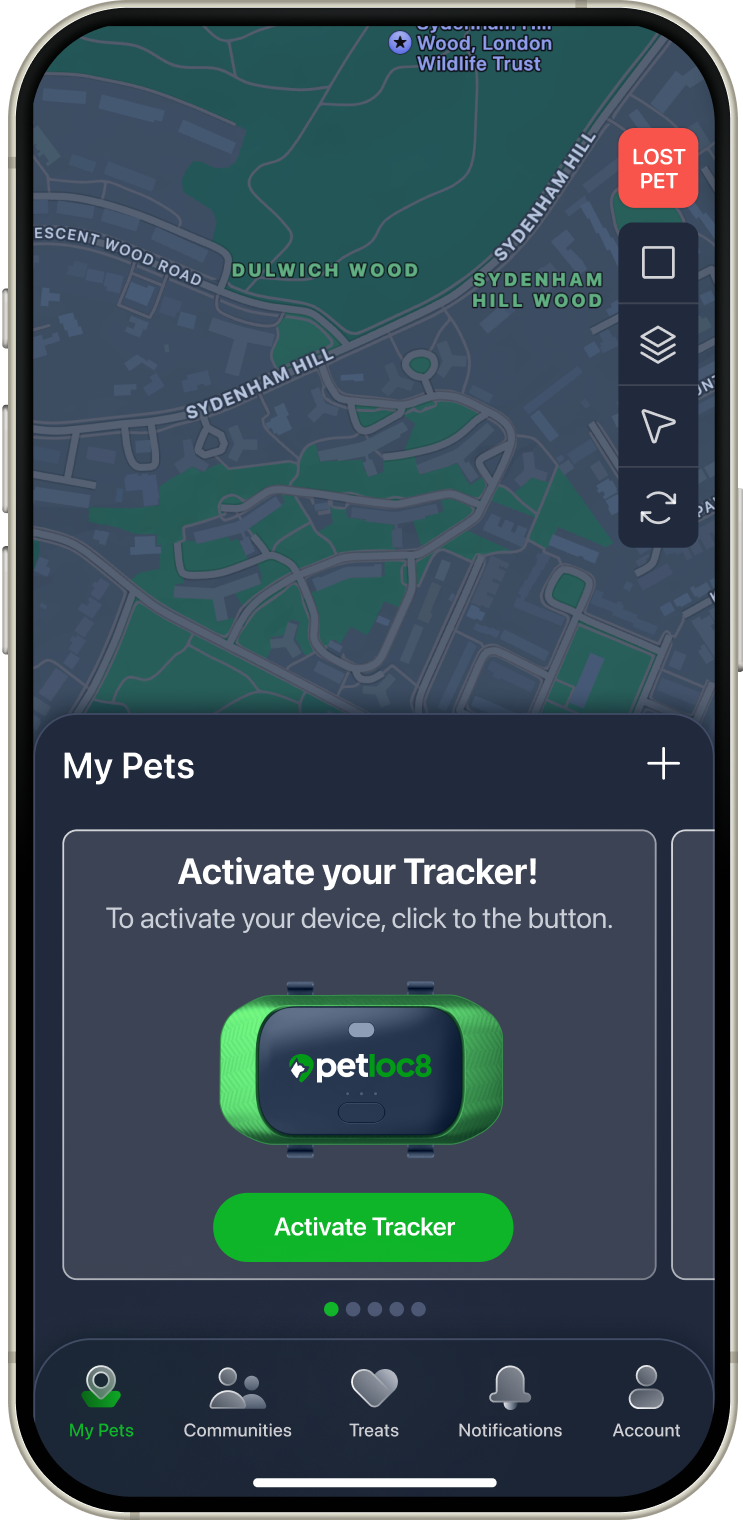
1. Click + icon
On Devices screen tap + icon
or Activate tracker button
or Activate tracker button
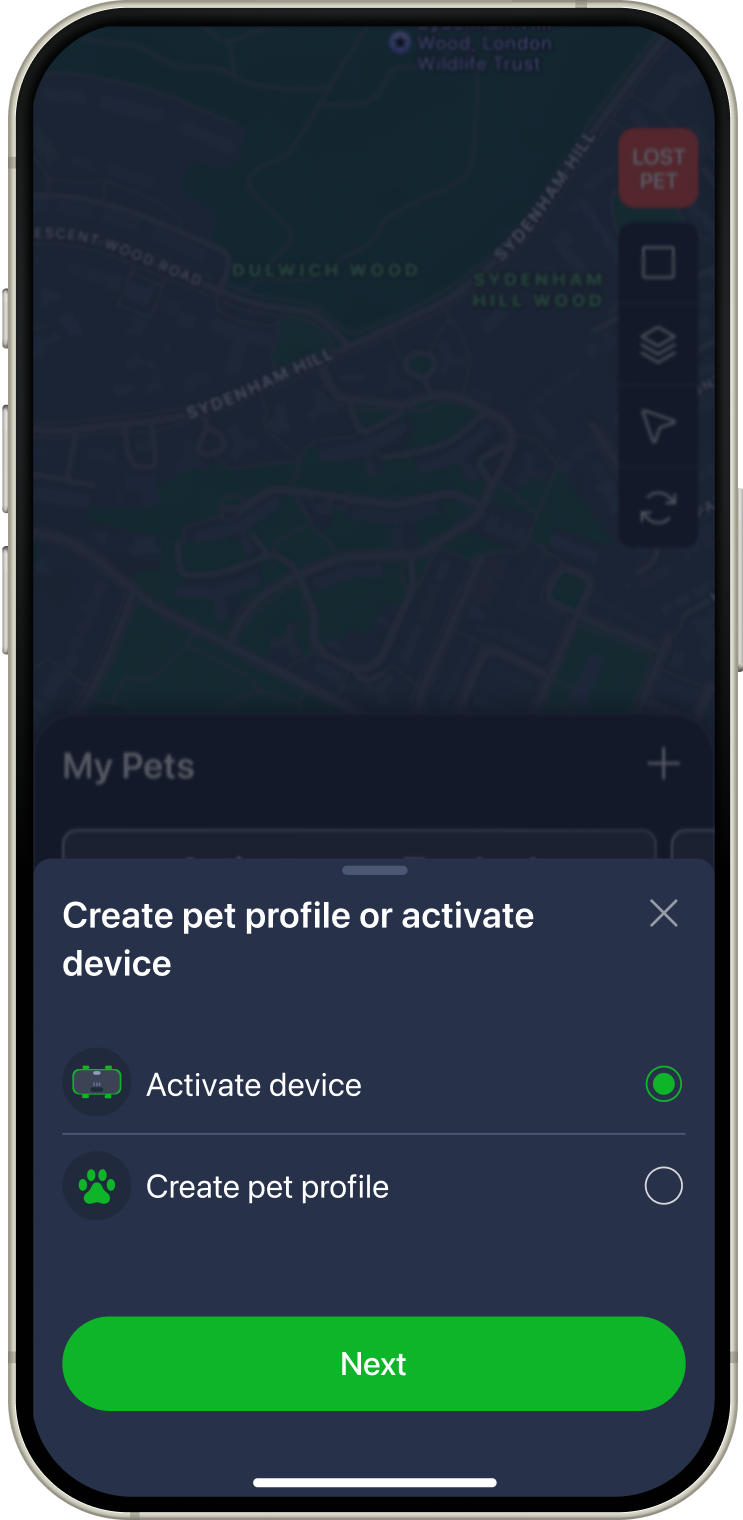
2. Choose activation
On popup window choose “Activate device” and tap Next button
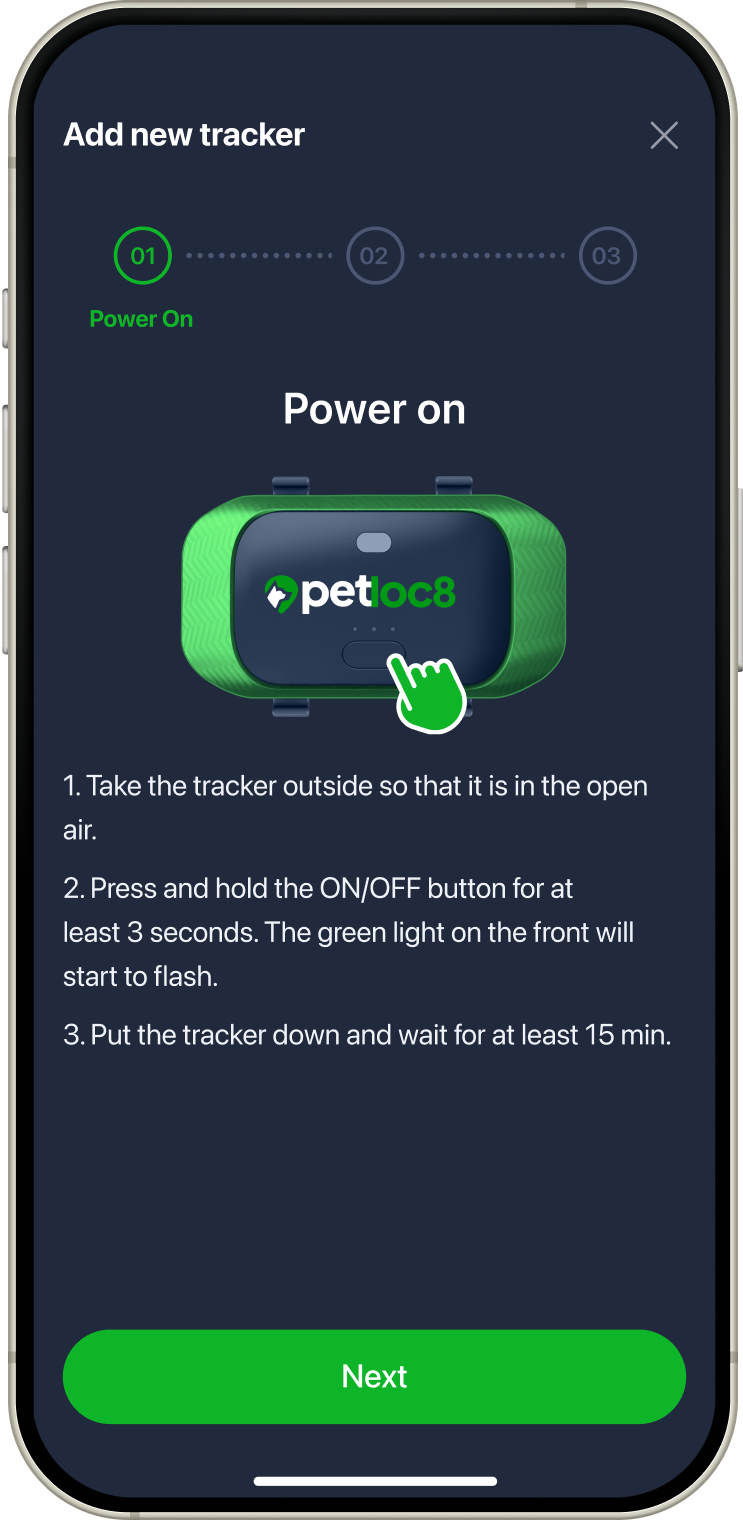
3. Power on device
According to the instruction power on your device and tap Next button
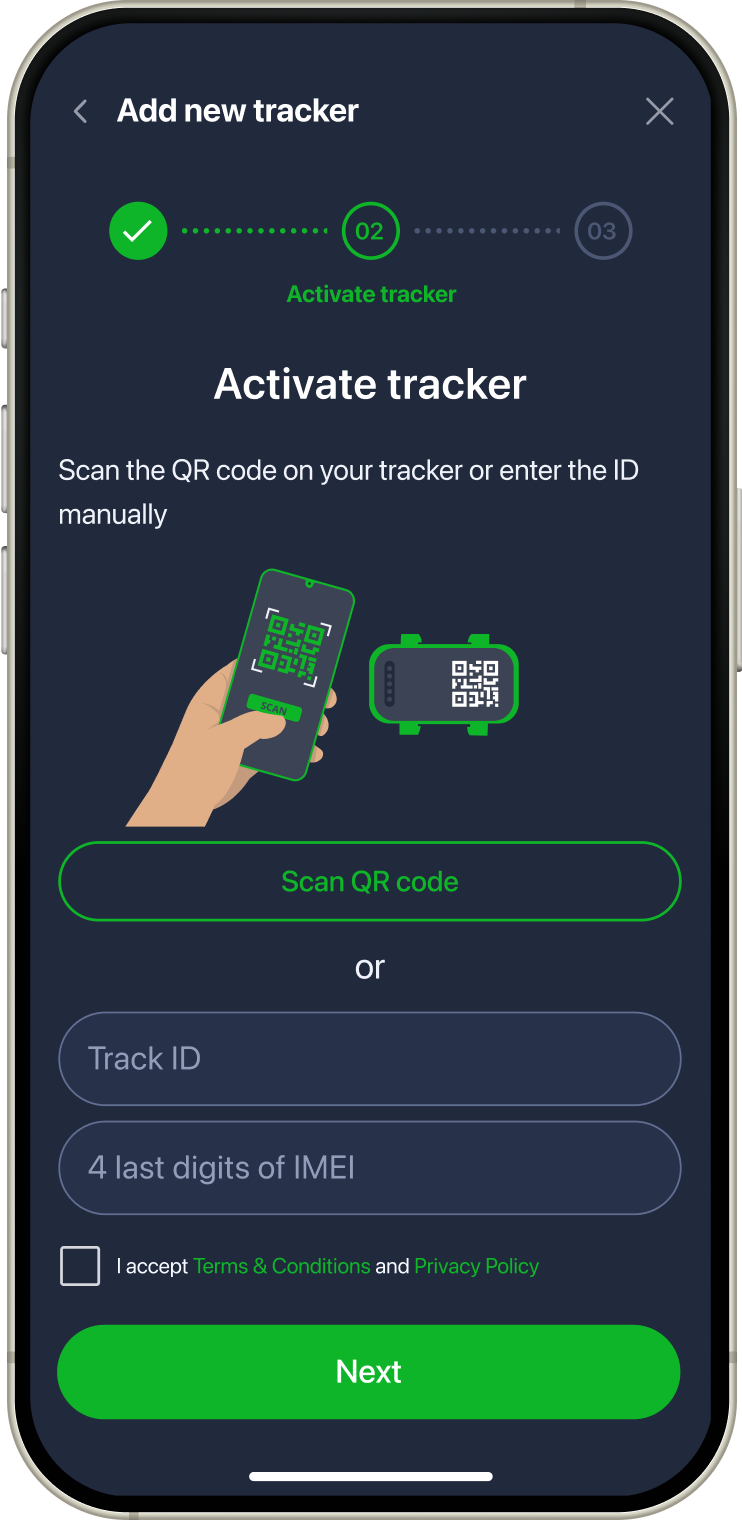
4. Activate tracker
Activate your device using QR code or enter the details manually and tap Next button
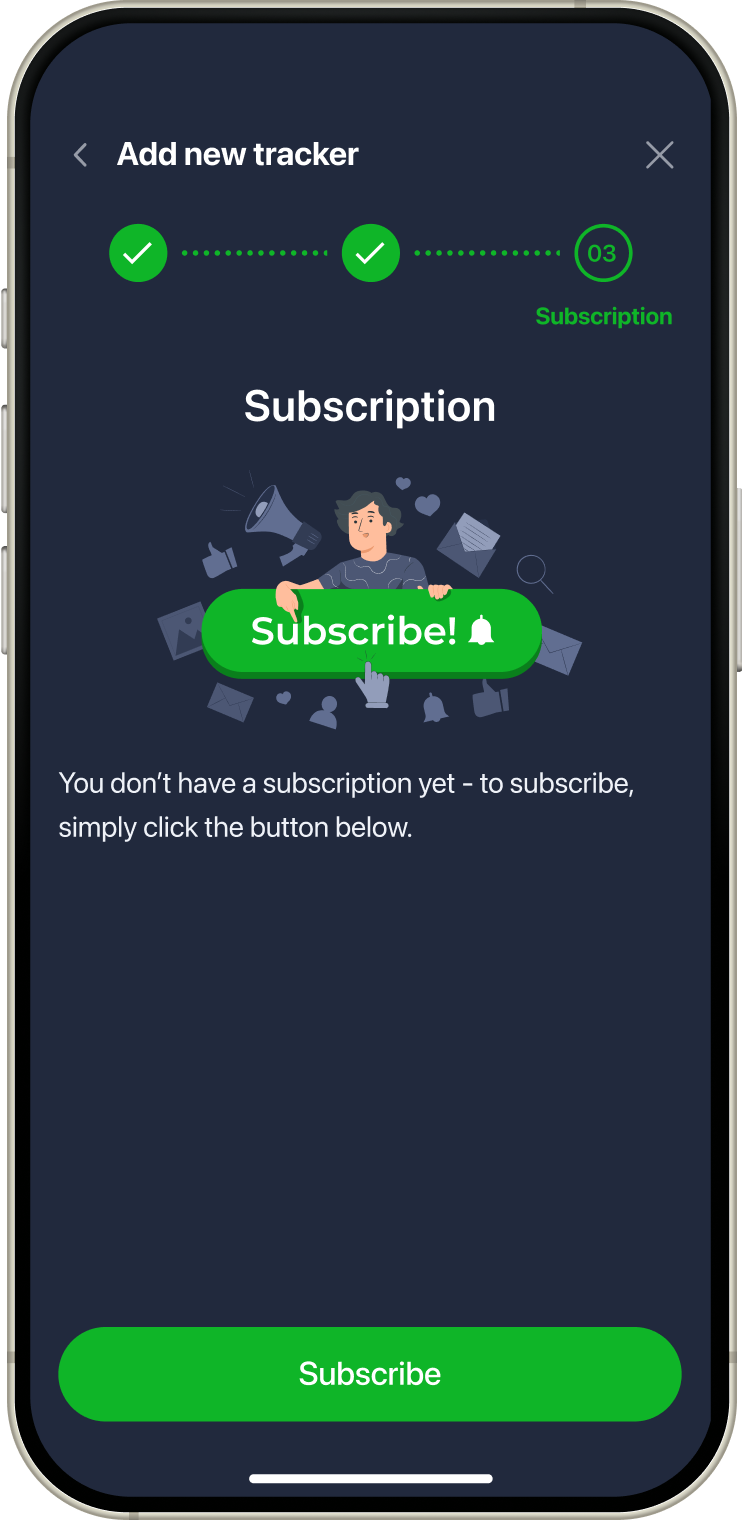
5. Choose subscription
Tap Subscribe button to
choose your subscription
choose your subscription
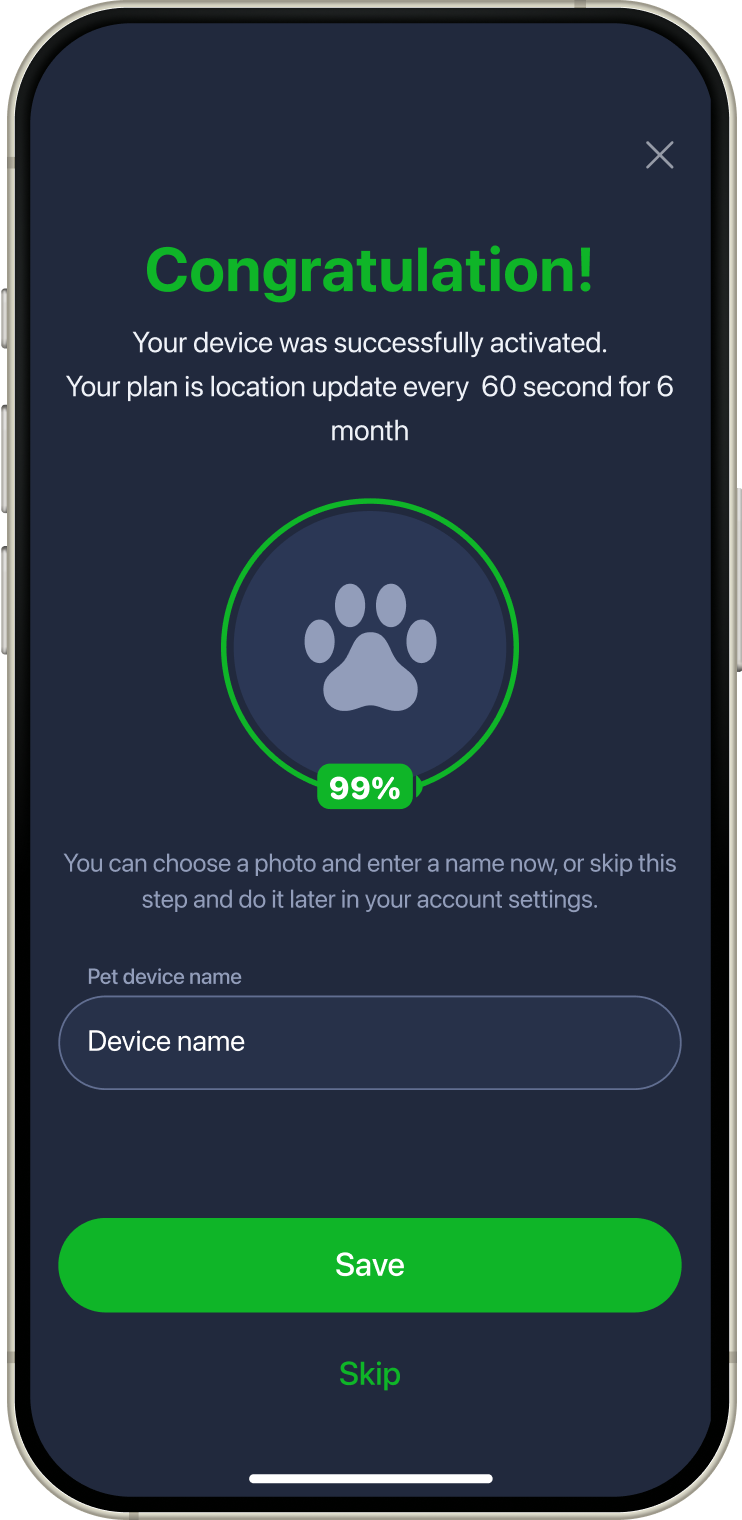
Congratulations!
Tap Save button and your device is ready!
Application guide
My Pets
Communities

Treats

Notifications